Shower System Redesign
Design Requirements
The shower system should consist of a handheld wand and a wall mounted module. A display and/or controls can be on either part.
The wand should weigh ~0.75 lbs and should connect to the wall module.
A digital display should be used to show settings such as temperature, water flow volume, and which spout the water should come out of.
Physical affordances and controls must be easy to use when visibility and dexterity are challenged by soapy hands, steamy showers, and absence of corrective lenses
Initial Design Sketches
-
![Sketch of a wall mounted control unit and a shower wand.]()
Idea #1: Wall mounted wand
-
![Sketch of a control unti on a shower wand which mounts on top of a tub spout.]()
Idea #2: Shower wand controls
-
![A sketch of a wall mounted control module with a wand mounted on top]()
Idea #3: Combined ideas
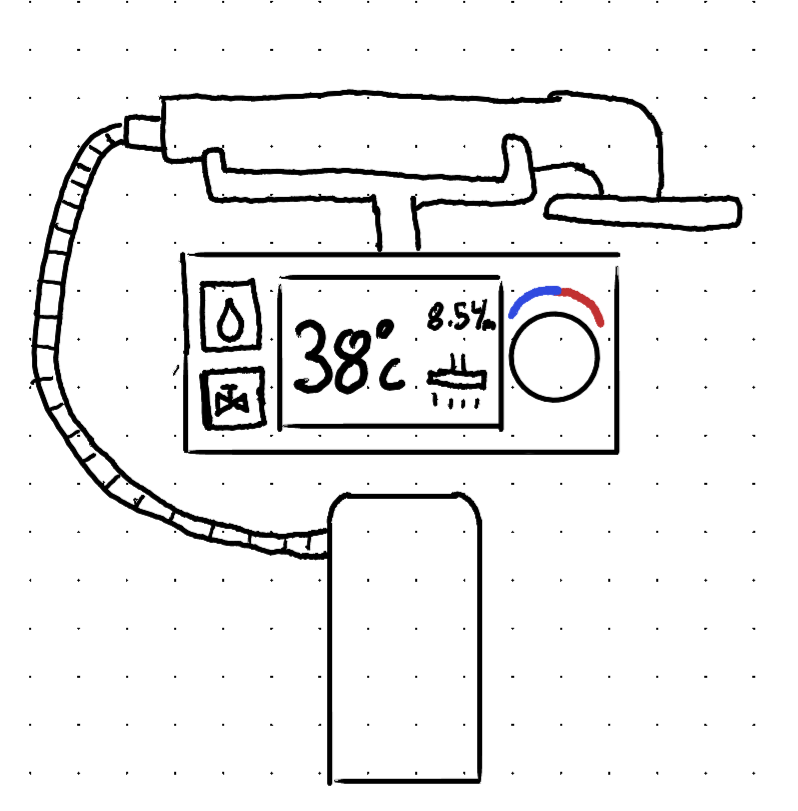
Idea 1: Wall Mounted Wand
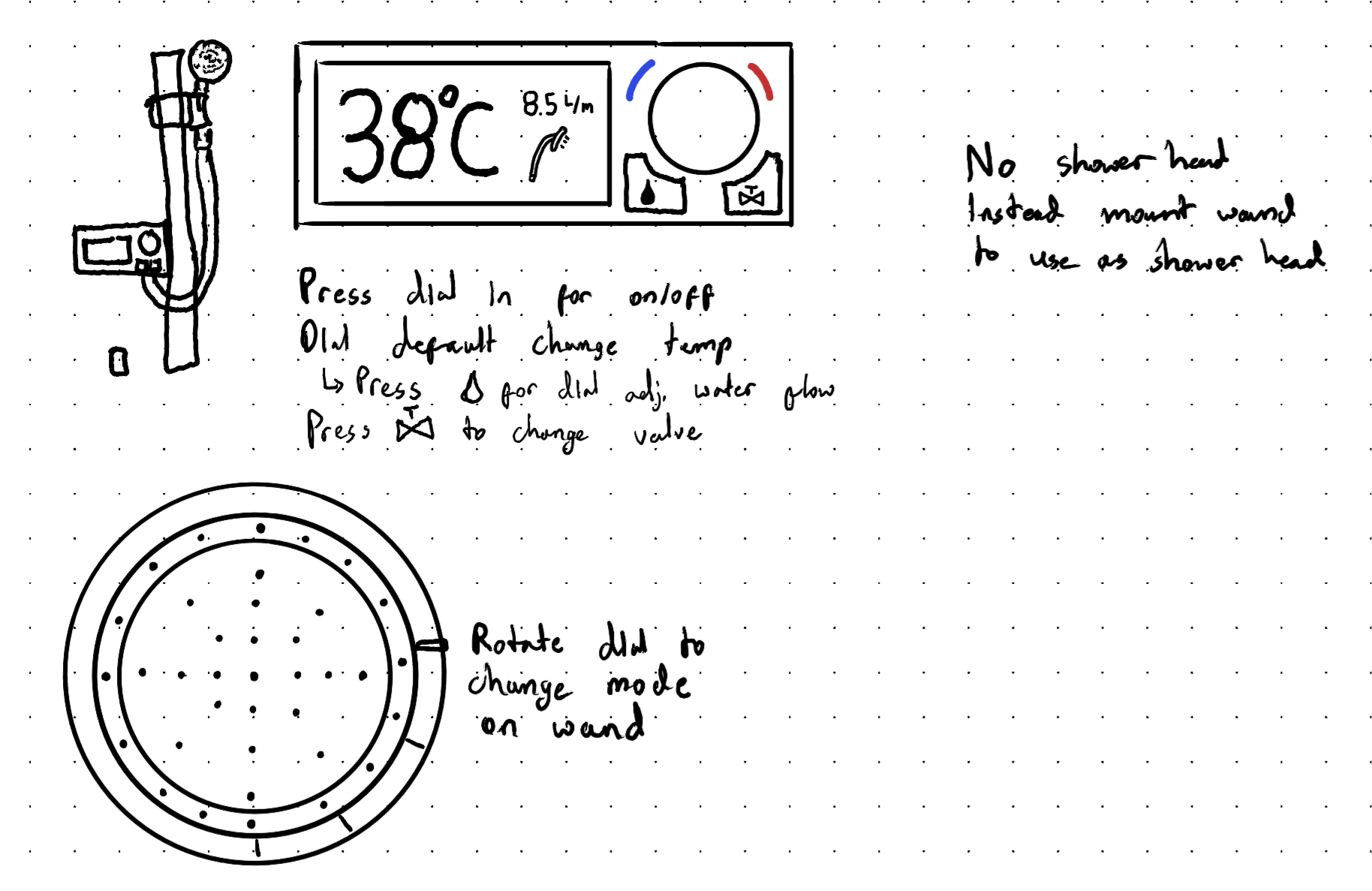
This design uses a wall mounted control unit which connects to a rod, on which there is a shower wand. The control module would also have a tub spout below it. The control module has a digital screen on the left side and on the right side are three controls: a button to switch to water flow mode, a button to switch to a different spout/valve, and a dial which controls the temperature or the water flow depending on if the water flow button has been pressed. The shower wand also has a dial to control which mode the wand is on (jet, waterfall, etc.).
The control scheme is intuitive and is labelled to help the user understand what each control does. Additionally, the display uses a simple UI to convey as clearly as possible what the user is changing or what they have the shower set to. The control scheme on the display is further simplified by having the wand controls be on the wand itself. The design is limited by only having two spouts (tub spout & wand). Additionally, having the buttons be so close to each other could lead to miss inputs or make the controls harder to use when the shower is wet.
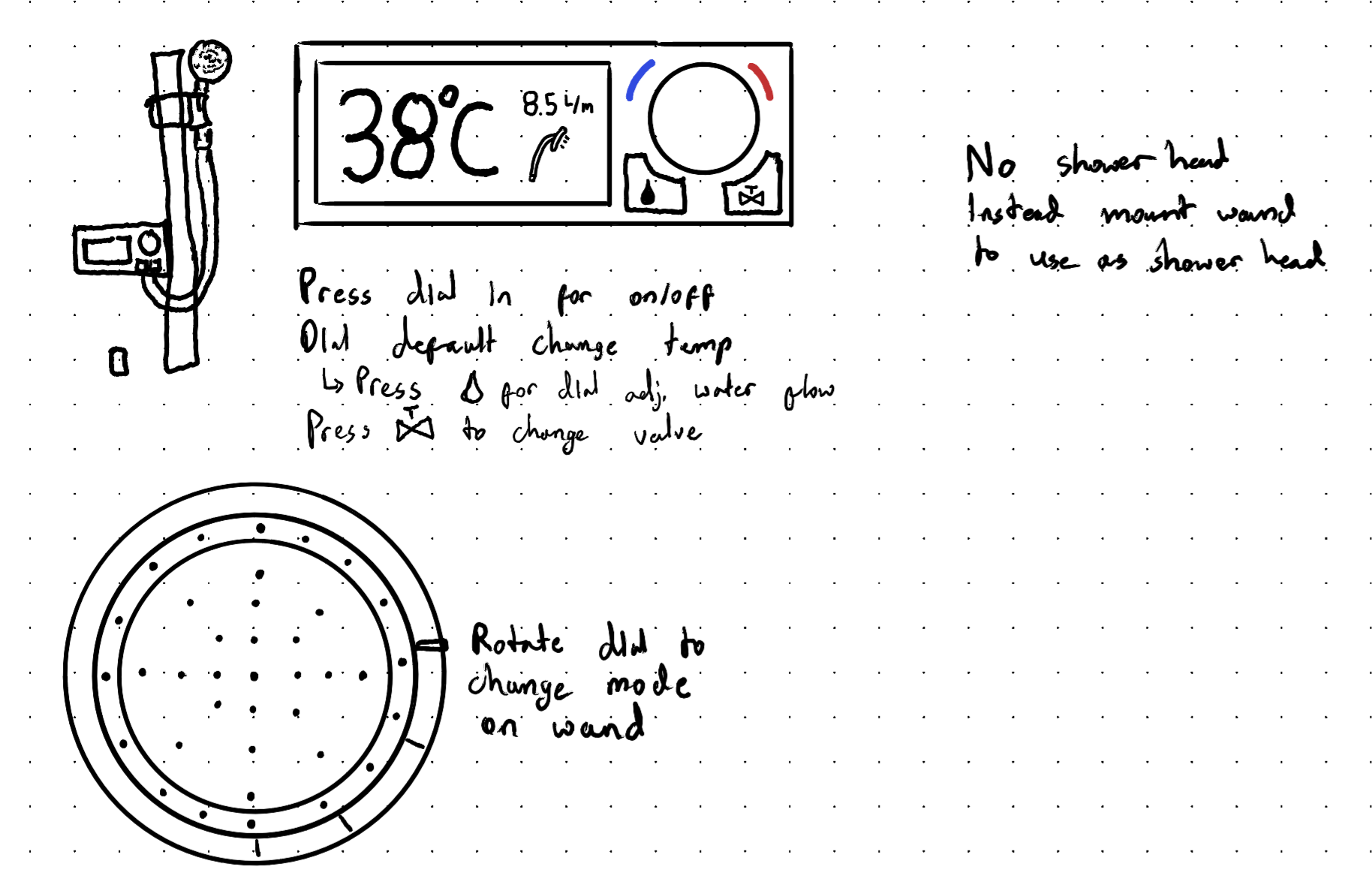
Idea 2: Shower Wand Controls
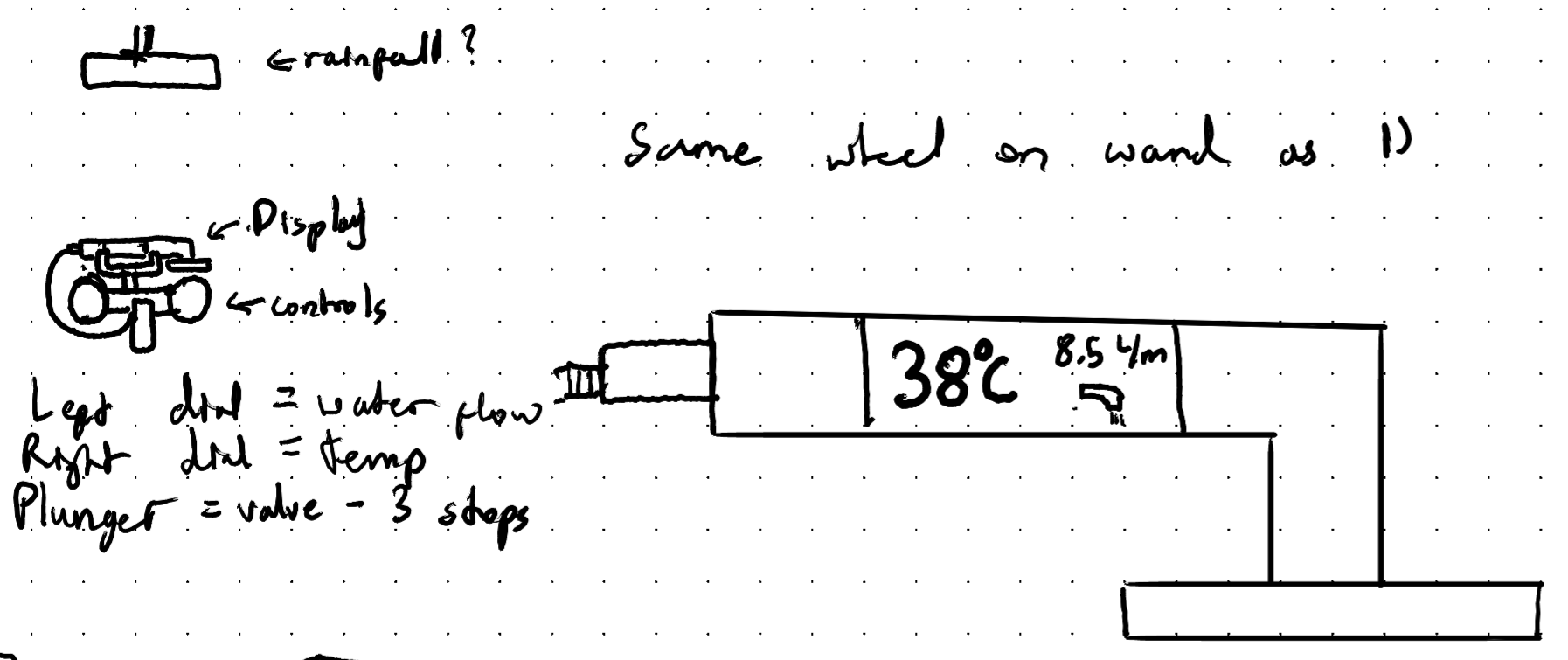
This design features the display on the shower wand as opposed to the wall mounted module. This was done to possibly aid with visual clarity as someone using the shower would always have a display showing temperature, water flow, and which spout/valve is being used within their eyeline, even when using the wand. This could help with individuals who are heavily near sighted for example. Whilst the display is on the wand, I found it would be more intuitive for the controls to remain on wall, as on the wand they would run the risk of being pressed accidentally.
The controls on the tap include two knobs/dials and a plunger. The left dial would control the water flow, increasing or decreasing the flow rate of the shower (left decreasing, right increasing). The right dial would control the temperature (left decreasing, right increasing). The plunger would have three stops on it instead of the typical two allowing the user to switch between the tub spout, shower wand, and shower head.
The biggest issue with this design is that the display showing changes and the controls are in different place making it harder for a user to keep track of what they are changing as they would have to look back and forth between both pieces.
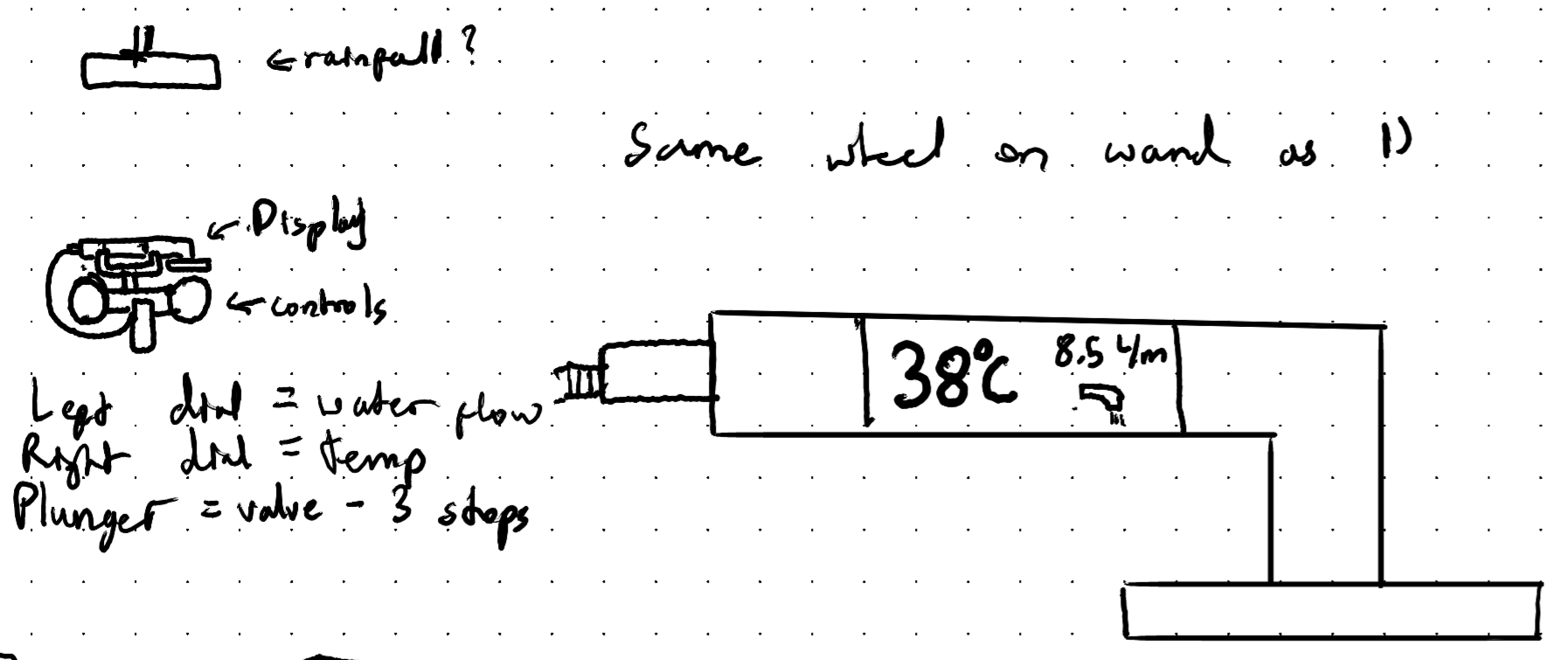
Idea 3: Combined Ideas
This design combines ideas from the previous designs whilst addressing issues with both of them to hopefully create a better product. It moves the display back to the wall mounted module from the wand. The display is made larger and moved to the centre, in between the controls for water flow and spout on the left and temperature dial on the right. The system hangs onto the control scheme from the first idea where the dial changes the temperature by default but when the water flow button is pressed it changes to control the water flow. It also takes the mounting from the second idea where the wand is mounted above the controls and there is an additional shower head. In making these changes I reduced the chance for false inputs like in the first idea and also re-simplified the control scheme compared to the second idea.
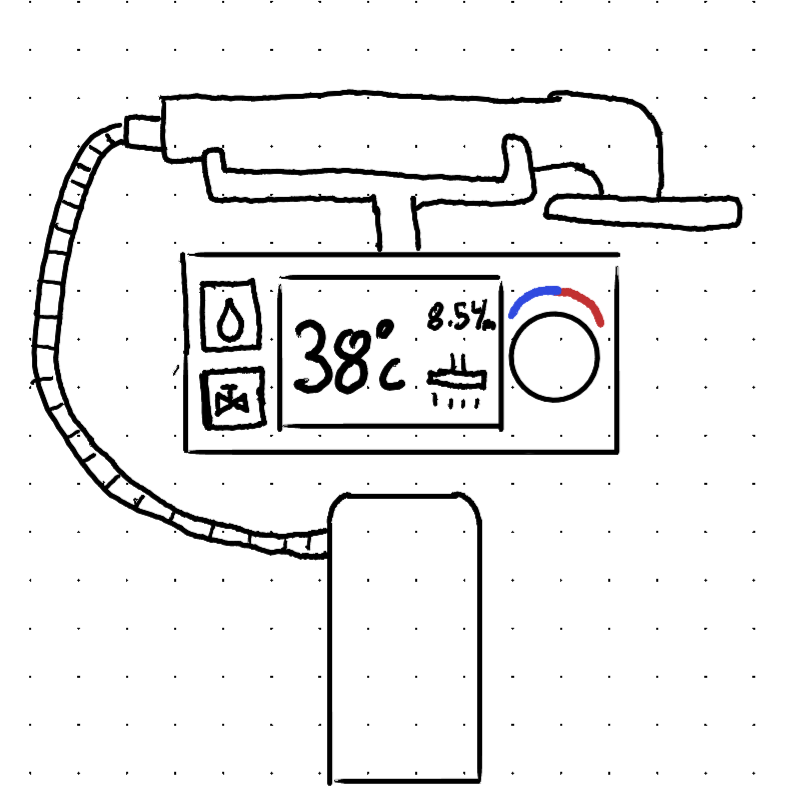
Final Prototype
The final prototype used the third design from the early sketches. For this project, I utilised a low fidelity prototype made of cardboard to showcase how the design could look in the real world. This low fidelity prototype allowed me to conduct user testing, where issues with the design could be pointed out. This user testing helps to identity weak points in the design to ensure that a final product is viable.
User Testing
User testing revealed a few flaws with the design. These critiques are listed below:
A position indicator should be added to the temperature dial to ensure a user knows where on the dial’s range they are
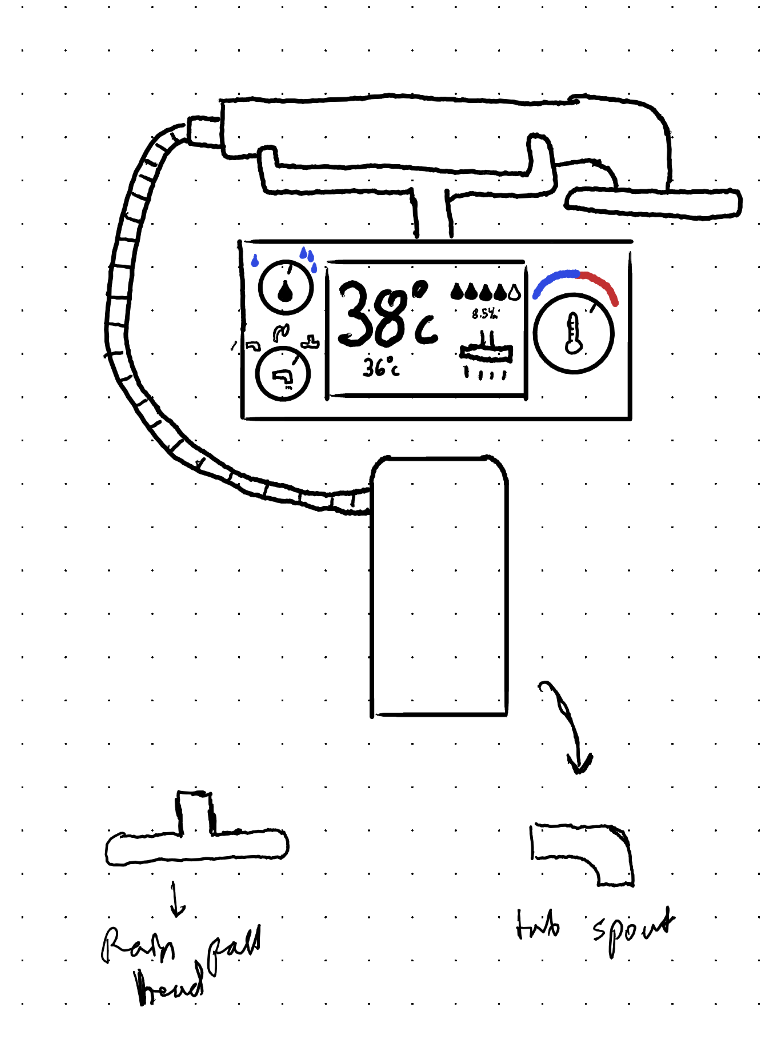
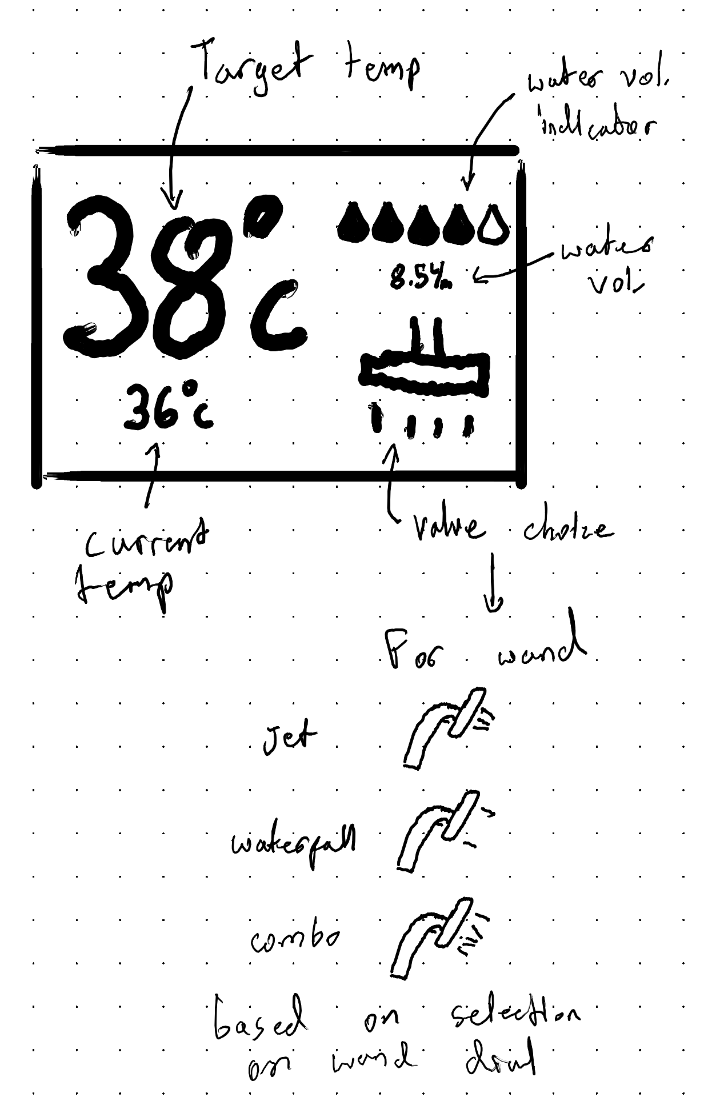
It is unclear if the display shows the current temperature of the shower or the temperature the shower has been set to
The icons used for selecting the spout and for controlling the water flow volume are unclear
A visual indicator should be used for the water flow volume as most people cannot intuitively understand a number
The controls should be separated as selecting a button to change what the dial does could be confusing for a new user
The setting on the shower wand could be reflected on the display as well
Introducing a separate dial to control each feature would make the device more intuitive to use
Revised Design
Keeping the feedback from users in mind, a revised design is shown below: